top of page

Website usability essentials: Structure and navigation

  • Writer: Kate from LightTECH
    Kate from LightTECH
  • 3 days ago
  • 3 min read
Today, when there are millions of websites on every possible topic, one of the main challenges is keeping users on your website and naturally guiding them toward a target action — reading content, signing up, or making a purchase. This is where usability becomes critical.

Excellent Usability for Your Website


Usability is not just about visual design. It is about how logically, clearly, and comfortably users interact with your website. And it always begins with structure and navigation.


Clear and Logical Website Structure

The foundation of a user-friendly website is a well-planned structure. Users don’t arrive randomly — they come with a goal. Your task is to help them achieve it quickly and without friction.


Before adding content, you need a hierarchy where every element has its place. A modern website structure usually includes:

  • Section — a broad thematic block

  • Category — grouped related content within a section

  • Subcategory — optional, used on larger websites

  • Material — the final element (article, service page, product card)


A clear hierarchy reduces cognitive load. When users understand how information is organized, they navigate faster and make decisions more confidently. Faster decisions often lead to higher engagement and improved conversion rates. It is also important not to overload pages with unrelated information. Irrelevant content confuses visitors and increases bounce rates.


Structure is not just organization — it shapes the entire user journey.


Navigation That Drives Conversion

Even the best structure fails without intuitive navigation. Users should immediately understand where they are and how to reach the next step.


Effective navigation:

  • reflects the website structure clearly;

  • is placed in a visible, expected location;

  • uses simple and descriptive labels;

  • remains consistent across all pages.


But navigation is more than usability — it directly impacts conversion. A strategic menu:

✅ shortens the path to key pages (products, pricing, contact);

✅ highlights priority or high-margin sections;

✅ supports promotions and campaigns;

✅ reduces friction in the customer journey.


Additional elements like breadcrumbs and a sitemap improve orientation and reduce user anxiety. Breadcrumbs show position within the hierarchy. A sitemap enhances accessibility and SEO structure. When menu items are organized by user intent rather than internal logic, engagement increases. Visually emphasizing specific categories or offers can significantly improve clicks and conversions.


Navigation is not just a list of links. It is a silent guide that influences behavior.


Convenient On-Site Search

On multi-page websites — especially eCommerce platforms — search functionality is essential. If users cannot quickly find what they need, they rarely browse manually. They leave. The search bar should be placed at the top of the page and include results from all content types — articles, products, and categories.


A well-functioning search system reduces frustration, shortens the buying journey, and increases the probability of completing a purchase.


Focus on the User’s Goal

Every page should answer one key question: what does the user want to accomplish here?

Whether it is reading information, placing an order, or contacting support, the page should remove distractions and guide users toward that action. Minimalism helps. Keep only elements that support the goal. Clear calls to action, logical content blocks, and intuitive pathways create a smooth experience.


When users don’t have to think about navigation, they focus on your offer.


Visual Hierarchy and Performance

Good usability also depends on visual organization. Headings, spacing, and visual emphasis should guide the eye naturally and make content easy to scan. Page speed is equally important. Heavy images, excessive animations, and too many banners slow down the website and reduce trust. The balance between design and performance directly affects user retention.


A fast, structured, and clean website builds credibility and supports long-term growth.


Turning Navigation Into a Strategic Asset

Designing structure is only the first step. Maintaining logical, consistent, and conversion-focused navigation across a growing website is far more complex — especially when new categories, campaigns, and priorities are constantly added.


That is why it is important not just to “have a menu,” but to manage it strategically.


Instead of being just a navigation tool, your menu becomes a conversion system — guiding users, shortening their path to action, and supporting business growth. Because usability begins with structure. And strong navigation turns structure into results.


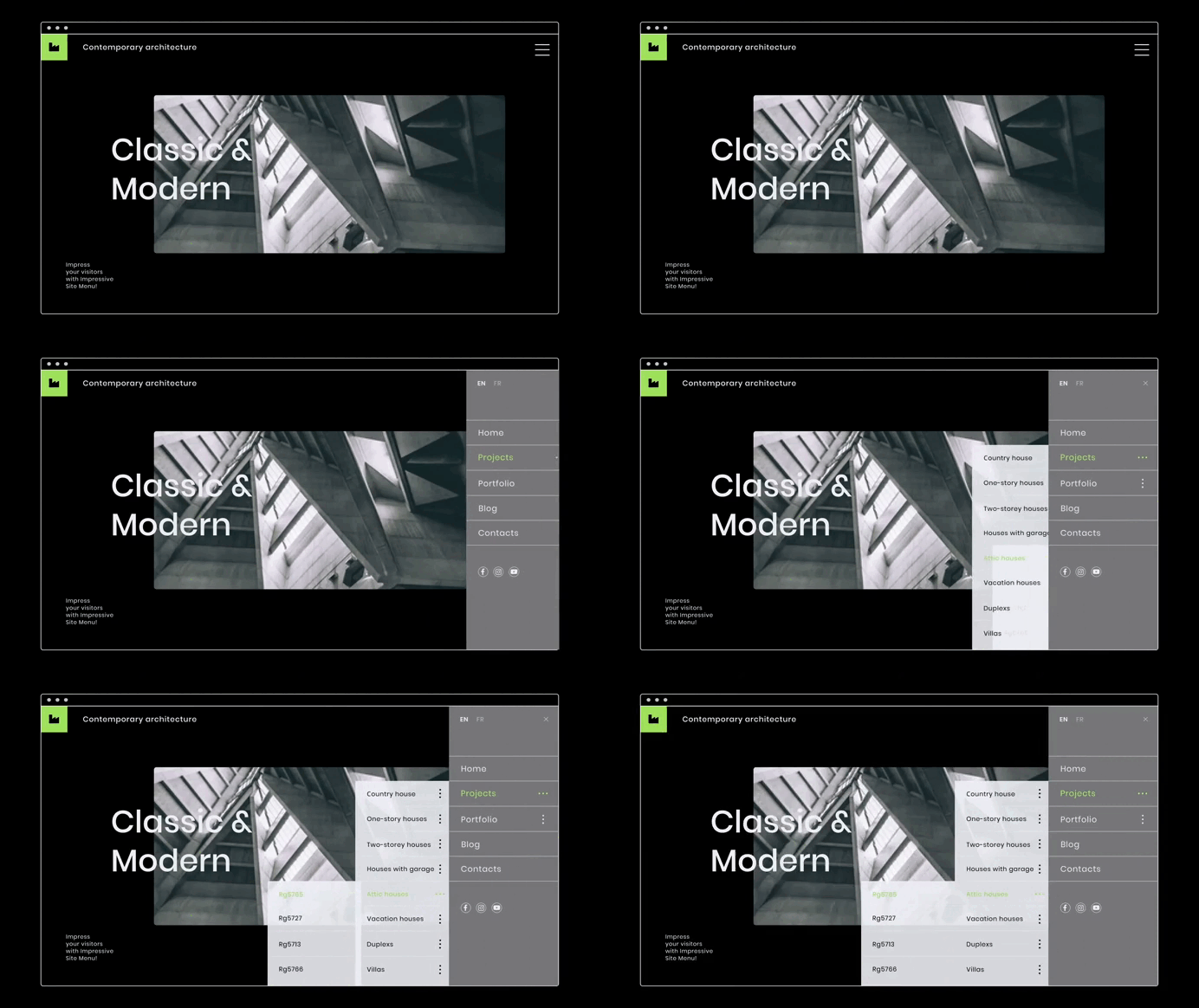
Impressive Site Menu helps you build a flexible, structured, and user-friendly navigation system without unnecessary complexity. You can easily organize sections, categories, and subcategories, highlight priority pages, and maintain consistency across your entire site.


Instead of being just a navigation tool, your menu becomes a conversion system — guiding users, shortening their path to action, and supporting business growth. Because usability begins with structure. And strong navigation turns structure into results.


Recommended by Light-tech

bottom of page