How to choose images and videos that look good on every device
top of page

How to choose images and videos that look good on every device

  • Writer: Kate from LightTECH
    Kate from LightTECH
  • 18 hours ago
  • 3 min read
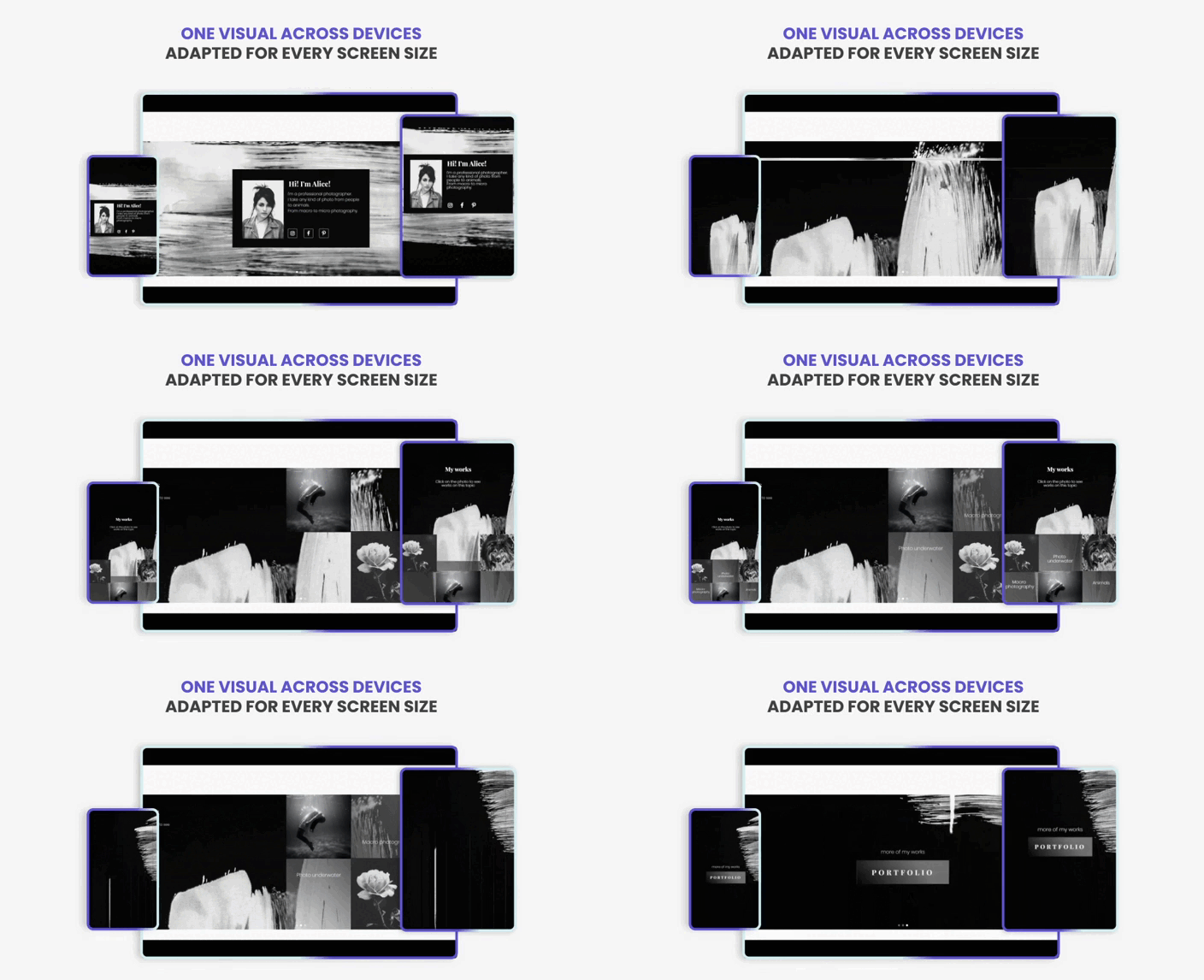
Modern websites are viewed on a wide variety of devices — large desktop monitors, laptops, tablets, and smartphones. Each device has a different screen size, orientation, and resolution. Because of this, images and videos can appear very differently depending on the device being used.

Excellent Usability for Your Website


What looks perfect on a desktop screen may become cropped, unreadable, or visually unbalanced on a mobile phone. That’s why it’s important to carefully select and design visual content so it works well across all devices.


Why Visual Content Looks Different on Different Devices

When designing a website on a desktop computer, it’s easy to forget that many visitors will view the same page on a much smaller screen.  Here are several factors that affect how images and videos appear.


Screen size

Desktop monitors are wide and large, while mobile screens are much smaller. This means parts of an image may be cropped or scaled differently.


Screen orientation

Desktop screens are usually horizontal, while smartphones are often used vertically.


Aspect ratio differences

Images designed for wide screens may not translate well to narrow mobile layouts.


Responsive layouts

Modern websites adjust layouts depending on screen size. As a result, images and videos may resize, reposition, or crop automatically.


Because of these differences, choosing the right visual content is essential for maintaining a consistent design across devices.


How to Choose Images That Work on Both Desktop and Mobile

When selecting images for your website, it’s important to think beyond desktop design. Here are several best practices.


1. Focus on the Center of the Image

Important visual elements should be placed near the center of the image. When screens become smaller, edges are often cropped first. Keeping the key content in the center helps ensure that the main message remains visible on all devices.


2. Avoid Important

Text Inside ImagesText embedded inside images can become unreadable on smaller screens. Instead, it’s better to place text elements in the layout itself. This allows the text to scale properly across different devices.


3. Use High-Quality but Optimized Images

Large images may look great on desktop screens but can slow down loading times on mobile devices.


Try to balance:

✅ High visual quality

✅ Optimized file sizes

✅ Fast page loading

Fast-loading pages are especially important for mobile users.


4. Consider Vertical Cropping

Images designed only for wide desktop layouts may lose important details when displayed on mobile screens. Choosing images with flexible composition helps them adapt better when cropped for smaller displays.


How Video Content Changes on Mobile Devices

Videos can be even more challenging than images when it comes to responsive design.


On smaller screens:

✅ Details may become harder to see

✅ Text inside videos may become too small

✅  Widescreen formats may crop important content


To avoid these issues:

✅ Keep important visuals centered

✅ Avoid small text inside video frames

✅ Use clear, simple compositions

This ensures that the video remains effective across all screen sizes.


How to Simplify Working with Responsive Images and Videos

Managing responsive images and videos can be complicated, especially when creating interactive sections like sliders or galleries.


With tools like Gallery: Impressive Slideshow, creating responsive visual sections becomes easier — helping you present images and videos in a way that remains engaging, professional, and visually impressive on every screen.


Key Features

✅ Create responsive image and video sliders

✅ Ensure visuals adapt smoothly across devices

✅ Highlight important content with transitions and animations

✅ Present multiple visuals in a structured way

✅ Customize layouts without complex development

This makes it easier to showcase visual content while maintaining a clean and responsive design.


Best Practices for Responsive Visual Sections

To get the best results when designing visual sections for different devices, keep these principles in mind.


Use flexible compositions

Images with balanced composition adapt better to cropping.


Test on multiple devices

Always preview your website on desktop, tablet, and mobile screens.


Keep visuals simple and clear

Complex images may lose impact on smaller screens.


Optimize loading performance

Fast-loading images and videos improve user experience.


Designing visual content that works across desktop and mobile devices is essential for modern websites. Because screen sizes, orientations, and layouts vary widely, images and videos must be carefully selected and optimized. By choosing flexible visuals and focusing on responsive design, you can ensure your content looks great on any device.


Gallery: Impressive Slideshow simplifies this process by helping you create responsive visual presentations that look great on both desktop and mobile devices. 🚀


Recommended by Light-tech

bottom of page